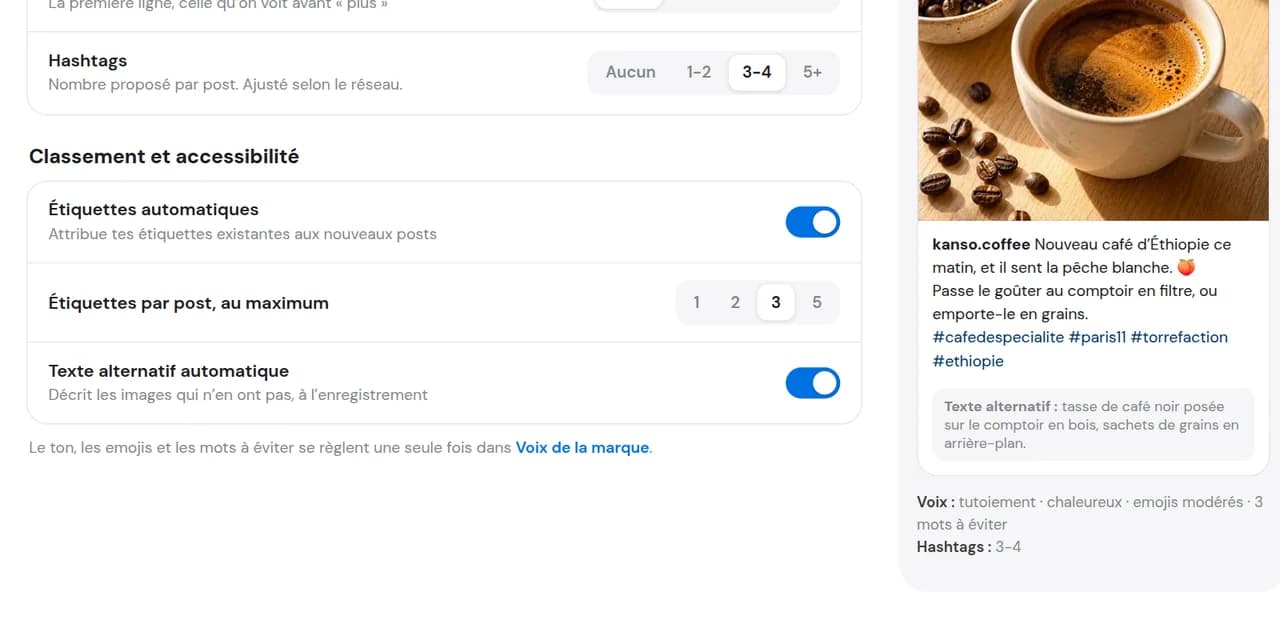
Enable the option
In MagicDaily, enable automatic alt text generation. Just once.

Enable the option once: whenever you add a visual, MagicDaily analyses it and writes its alt text. Review and adjust it if needed to make your post more accessible to screen reader users.
14 days free, no credit card required
Alt text describes an image for blind or visually impaired people listening through a screen reader. On Instagram, customising it means finding the accessibility settings. In Dailyfy, enable automatic generation once: the description is written as soon as you add an image. Review it before publishing.
Explore how MagicDaily works.
In MagicDaily, enable automatic alt text generation. Just once.
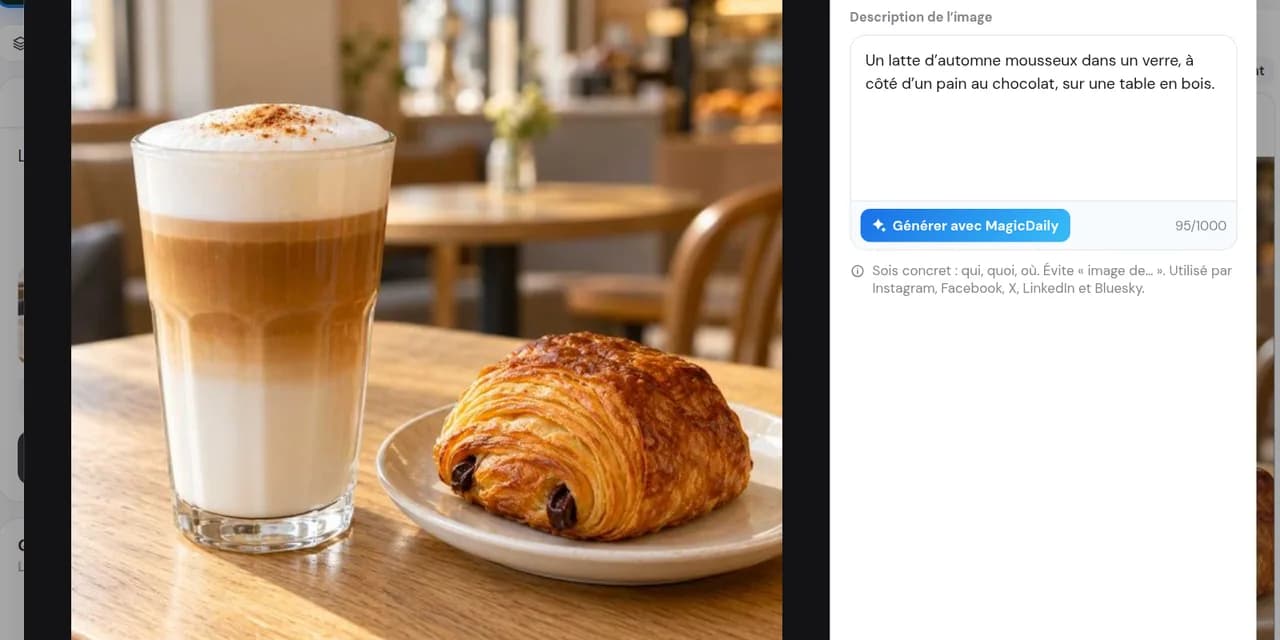
Upload your visual: MagicDaily reads it and writes its description automatically.
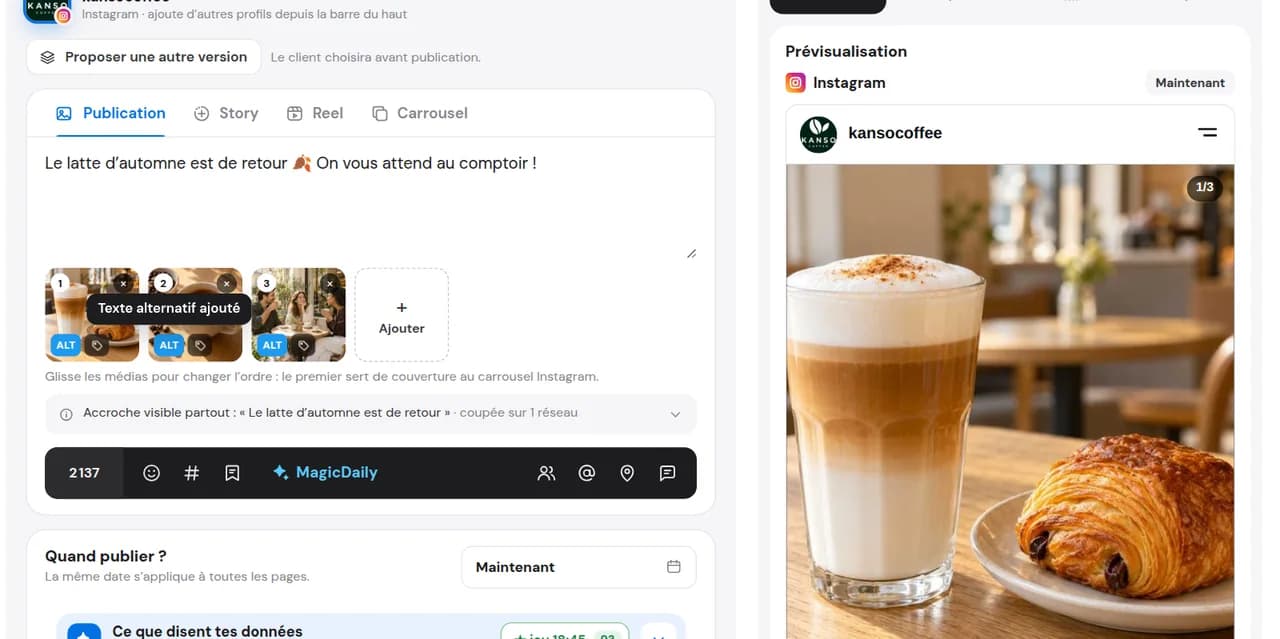
Adjust a word if needed. The alt text goes with your post on supported networks and formats.
Once enabled, every image gets a description as soon as you add it. No more forgetting, even on busy days.
MagicDaily suggests, you decide. Correct, expand or rewrite the description before publishing.
In a carousel, every visual has its own description, not one generic sentence for the whole set.
Prepare your carouselsInstagram can generate an automatic description, but it may miss important information. For a more accurate description, customise the alt text for each photo.
Before describing your image, you can also crop your Instagram photo with DailyStudio, then review its alt text.
When writing your caption, open advanced settings, then look for Accessibility and Write alt text. Enter a description for each photo. Labels and their location may vary by app version.
Open your post, tap the three dots, choose Edit, then Edit alt text on the relevant photo.
No menu to find: with automatic generation enabled, MagicDaily writes the description as soon as you add the image. It goes with your scheduled post on Instagram and other supported networks.
One or two sentences explaining what the image adds to the post. MagicDaily prepares a description; use these guidelines to review it.
« Image of coffee. »
« A latte with a leaf drawn in the foam, on a wooden table beside a croissant. »
An event poster, a promotion or an infographic: MagicDaily includes the information written on the image, not just its colours. Check dates, names and numbers.
The product, its colour and context: the description also helps explain what you sell.
Each photo receives its description automatically. Review and adjust each text separately.
An event poster, a promotion or an infographic: MagicDaily includes the information written on the image, not just its colours. Check dates, names and numbers.
The product, its colour and context: the description also helps explain what you sell.
Each photo receives its description automatically. Review and adjust each text separately.
It is a short image description. Screen readers read it aloud to blind or visually impaired people. It is also called an alt attribute or alternative text.
If automatic generation is enabled, it reads the image as soon as you add it to the post and describes what is visible, including any text on it. You can also write the description yourself.
Yes, always. Correct, expand or rewrite it before scheduling. Review it, especially when the image contains specific information such as a price, date or name.
On Instagram, Facebook, Threads, LinkedIn, X, Bluesky and Pinterest for supported image posts. Availability depends on the network and format.
Yes. MagicDaily describes each visual separately and you can edit each description.
It mainly supports accessibility. An accurate description may also help platforms understand your image. It does not guarantee visibility or rankings.
No. MagicDaily generation is available on paid plans. You can test it during the 14-day free trial.
Enable automatic generation and your next image description will already be written.
Start for free14 days free, no credit card required