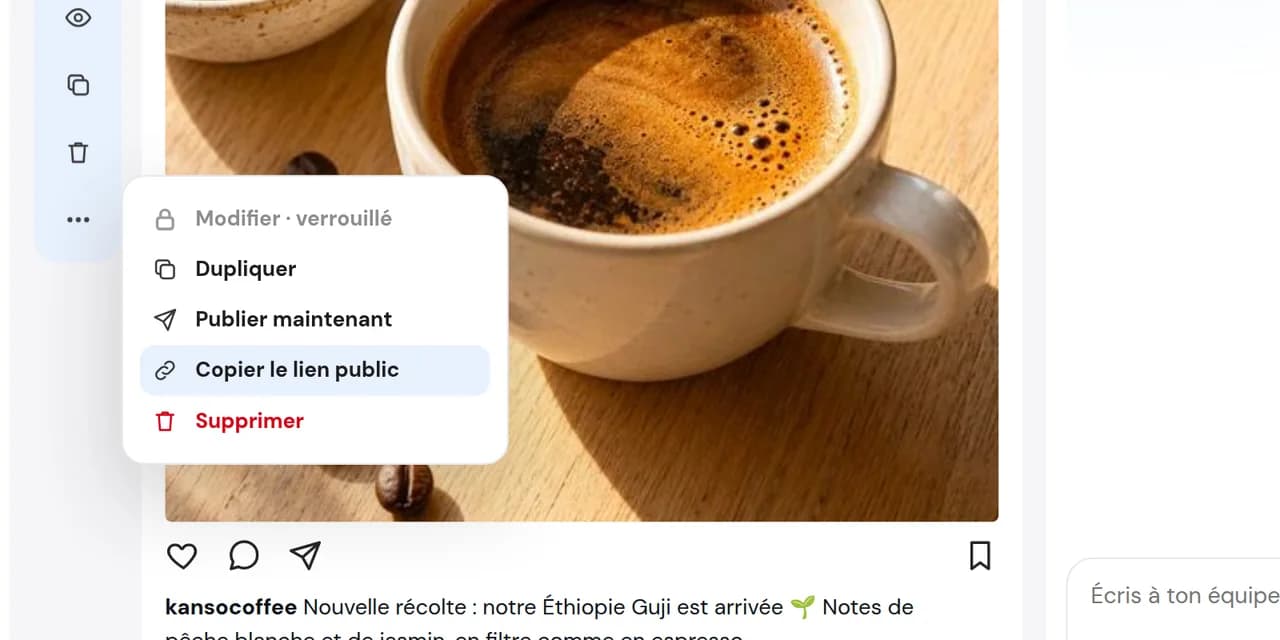
Copy the post’s link
Copy the private link from the post and send it by email, text or messaging app.

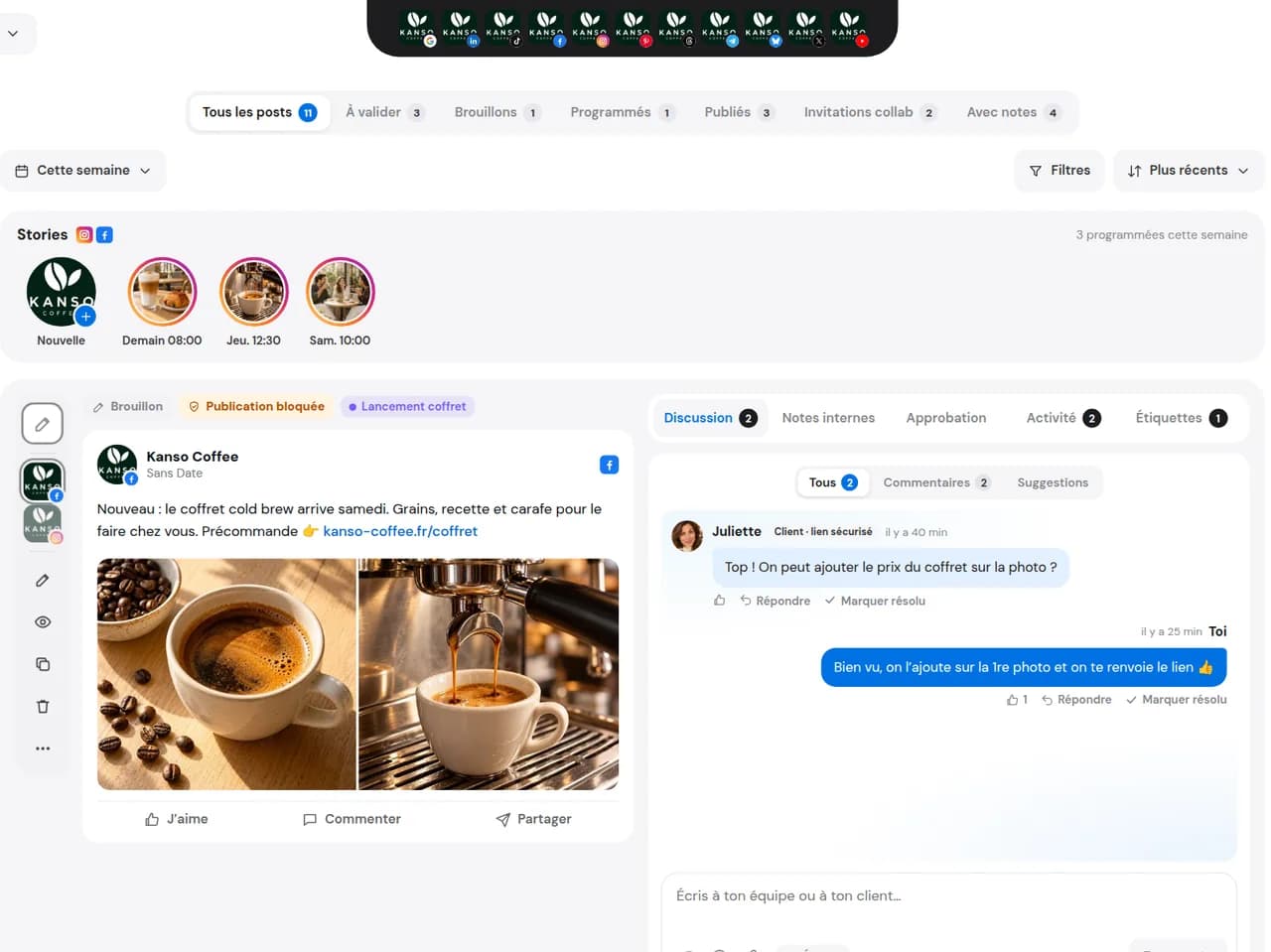
Send a private link to a partner, brand or client. They see the post as it will appear on each network, share their feedback in seconds and their response joins the post’s conversation.
14 days free, no credit card required
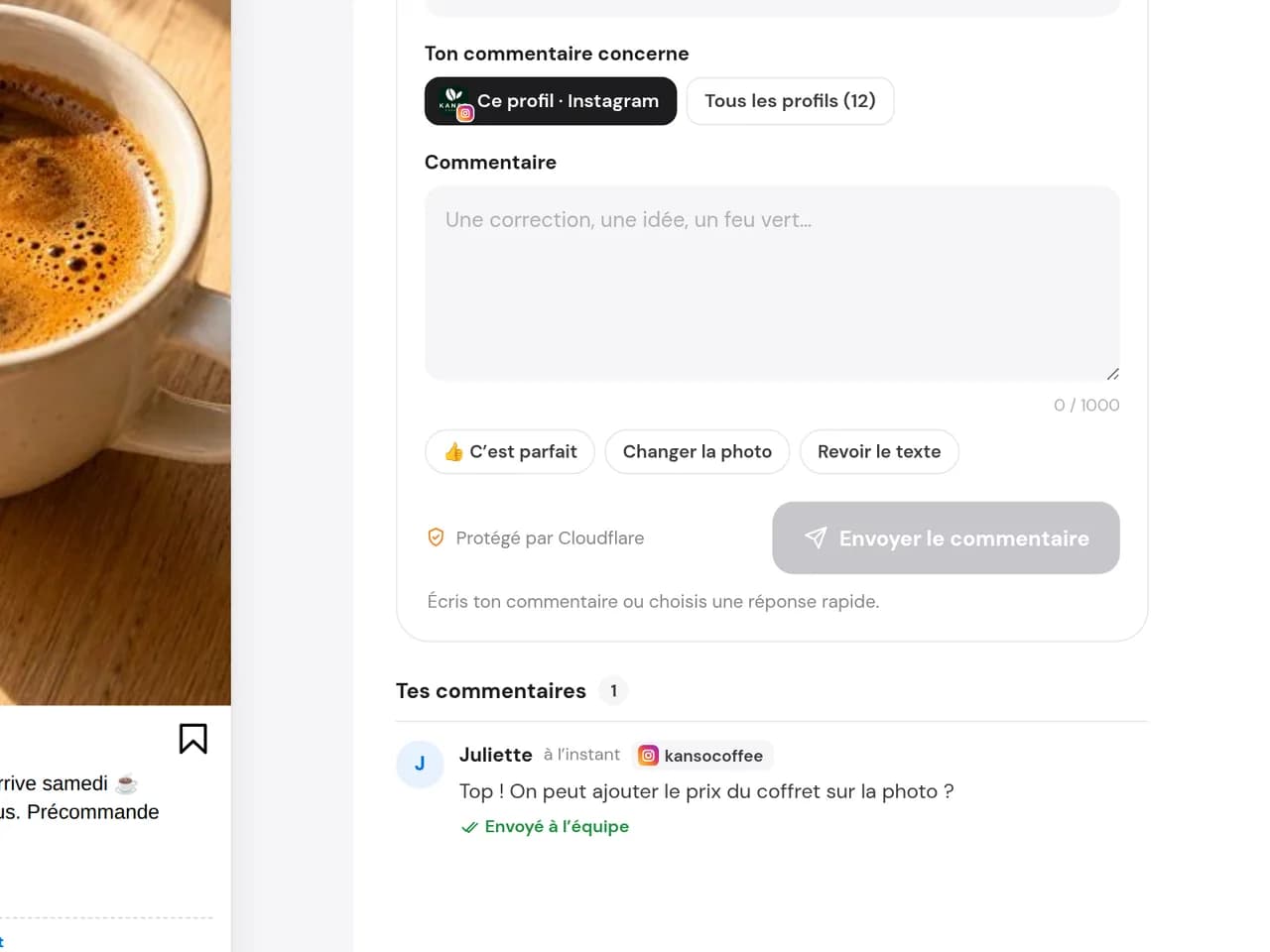
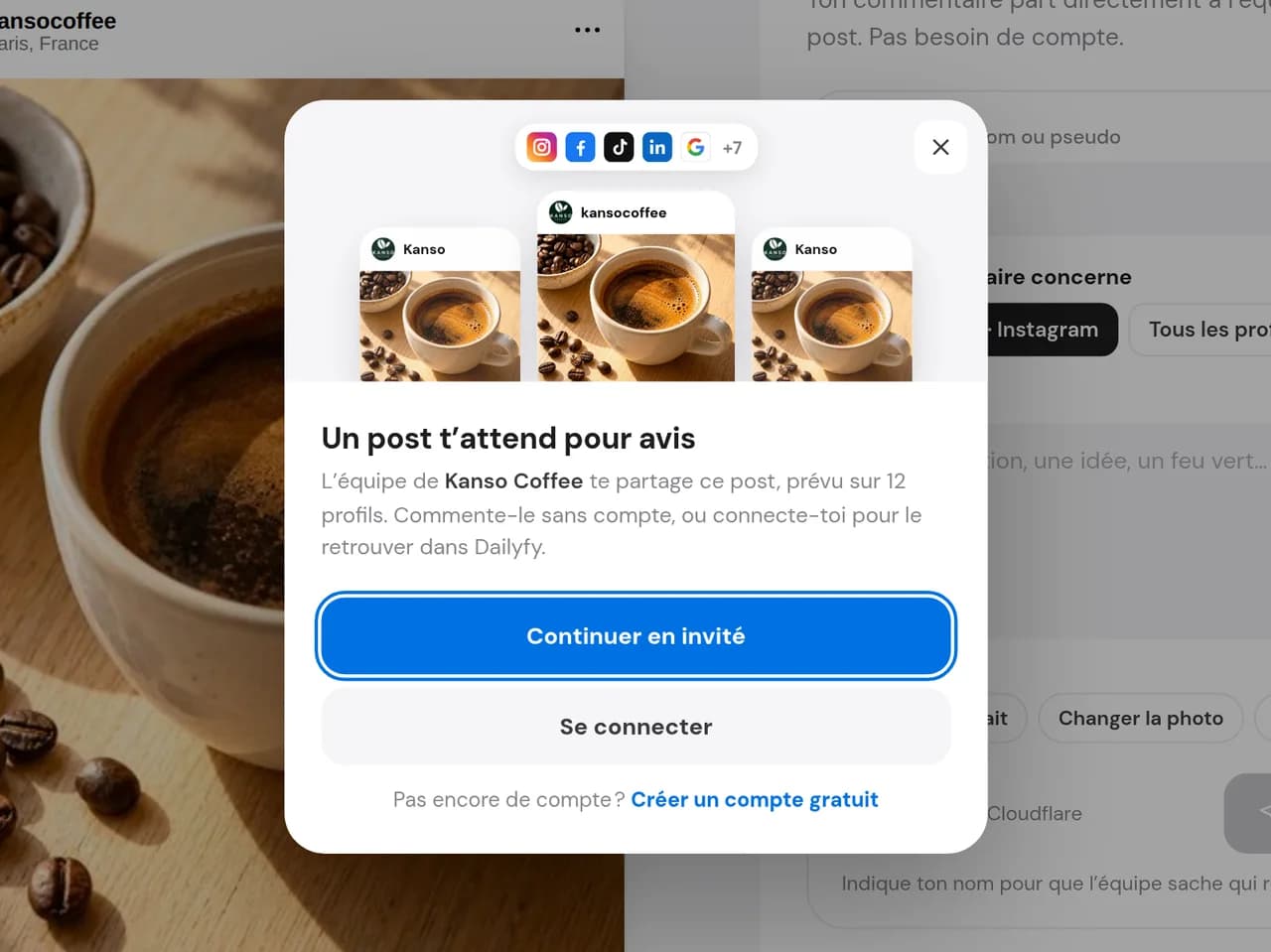
The link opens a clear page with all the post’s profiles, an accurate preview for each network and each profile’s status. Your partner picks a profile, writes a comment or selects a quick reply and sends it. Nothing else in your DailySpace is visible.
Copy the private link from the post and send it by email, text or messaging app.
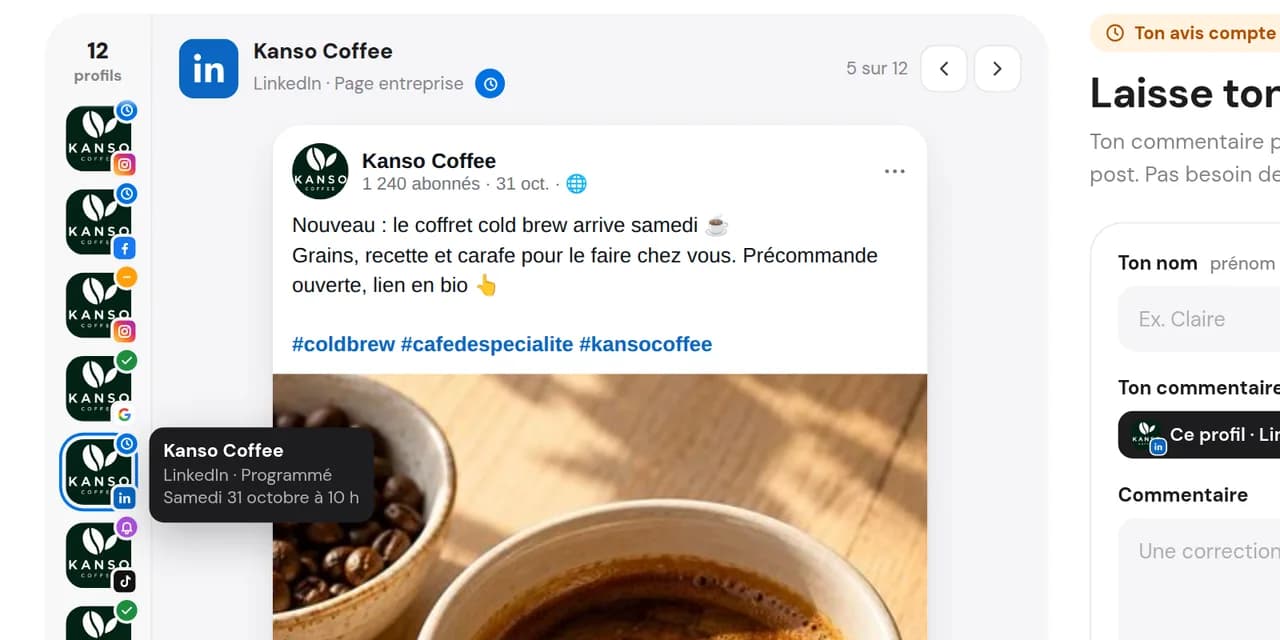
They see each network and comment on one profile or all at once, using their name without an account.
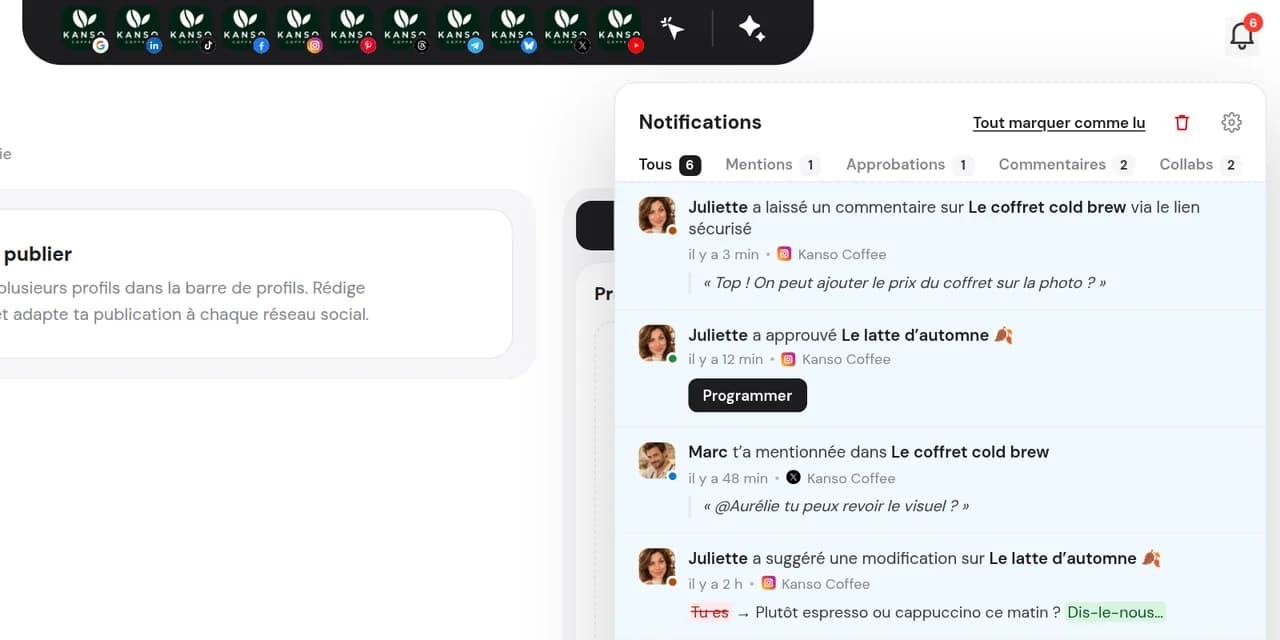
Their comment joins the post’s conversation and the team is notified.
Your partner opens the link and comments as a guest. No need to add a user just for feedback.
Each preview shows how the post will appear, with its status: pending, scheduled or published.
The link only grants access to this post. Your calendar, other posts and internal notes remain hidden.
A sponsor, supplier or partner venue checks that their name and logo are included and replies “Looks great” in one click.
An influencer or UGC creator shares a post: the brand sees the final result and provides feedback without joining the workspace.
A doctor, legal expert or one-off client comments on the relevant profile without access to the rest of your work.
A sponsor, supplier or partner venue checks that their name and logo are included and replies “Looks great” in one click.
An influencer or UGC creator shares a post: the brand sees the final result and provides feedback without joining the workspace.
A doctor, legal expert or one-off client comments on the relevant profile without access to the rest of your work.
For feedback on a post. Free, no account needed. Your partner sees the post and comments.
To follow the full calendar and give formal approval. Your client or colleague has their own access and permissions and approves from the email they receive.
No. They continue as a guest, see the post and comment using their name or a nickname.
All profiles for this post, an accurate preview for each network and their status: awaiting feedback, scheduled or published. Nothing else in your DailySpace.
Yes. They can comment on the profile they are viewing or all profiles at once. Three quick replies save time: “Looks great”, “Change the photo”, “Revise the text”.
It joins the post’s working conversation and you receive a notification, just like a team comment.
No. The link collects feedback. For formal approval, add the person as a DailySpace member: they can approve from the email they receive without entering login details.
No, it is free. It avoids adding a user just for feedback. Adding a member who follows the calendar and approves content is part of paid plans.
Prepare a post, copy its private link and send it to your partner.
Start for free14 days free, no credit card required