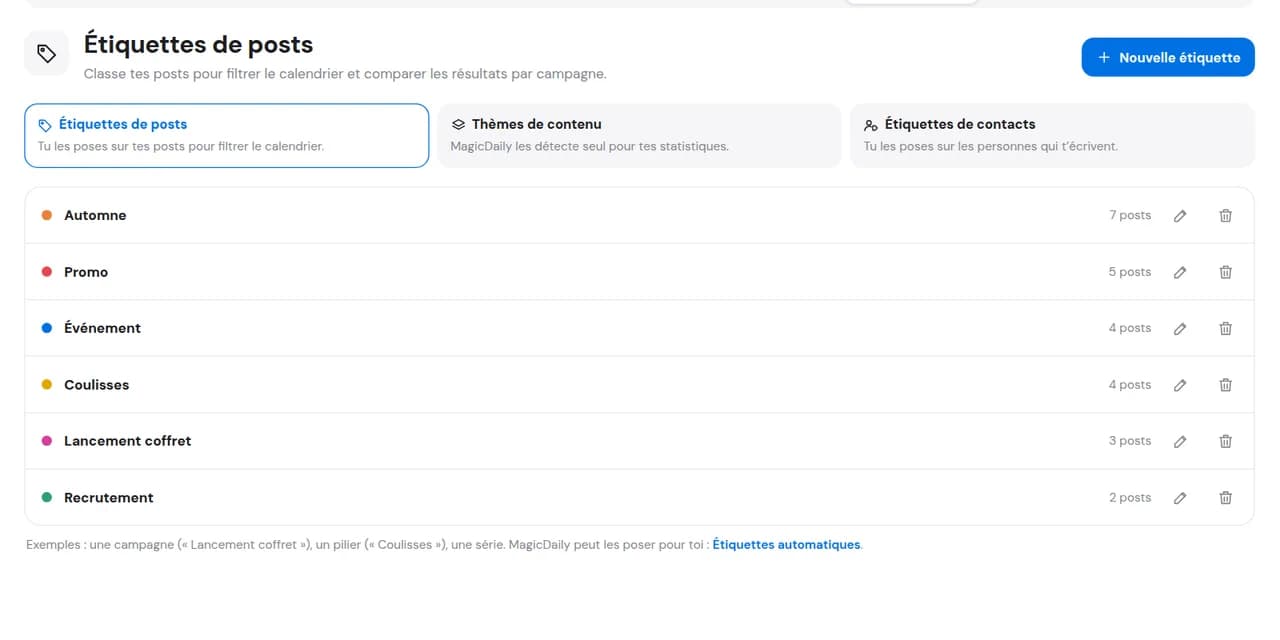
Create labels
A pillar, campaign or partner: name the categories structuring your editorial strategy and give each a colour.

Tips, behind the scenes, products or a back-to-school campaign: label each post or enable MagicDaily to classify posts when published. See at a glance whether your schedule respects your content pillars and which perform best.
14 days free, no credit card required
Without a framework, you publish ideas as they come and later discover three promotions in a row and no advice. Labels connect posts to your editorial pillars. Your schedule shows what is missing; results show what deserves more space.
Explore editorial calendar.
A pillar, campaign or partner: name the categories structuring your editorial strategy and give each a colour.
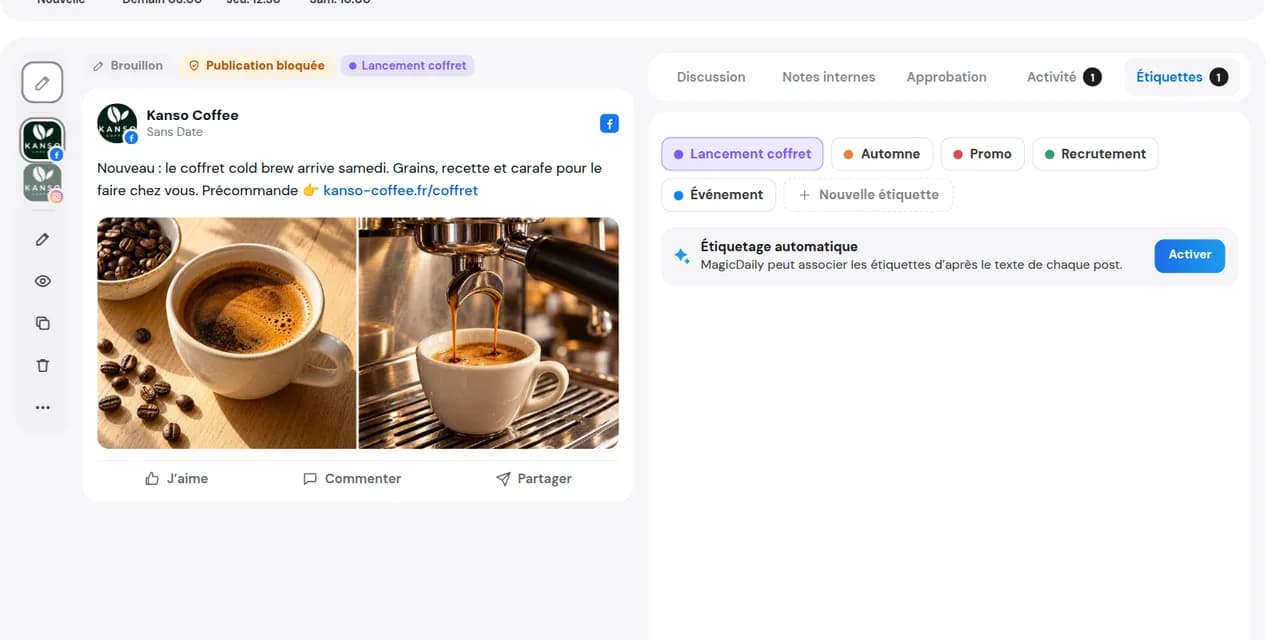
Enable the option and MagicDaily analyses each published post and applies the right labels. Stay in control: remove or add labels whenever you want.
Explore MagicDaily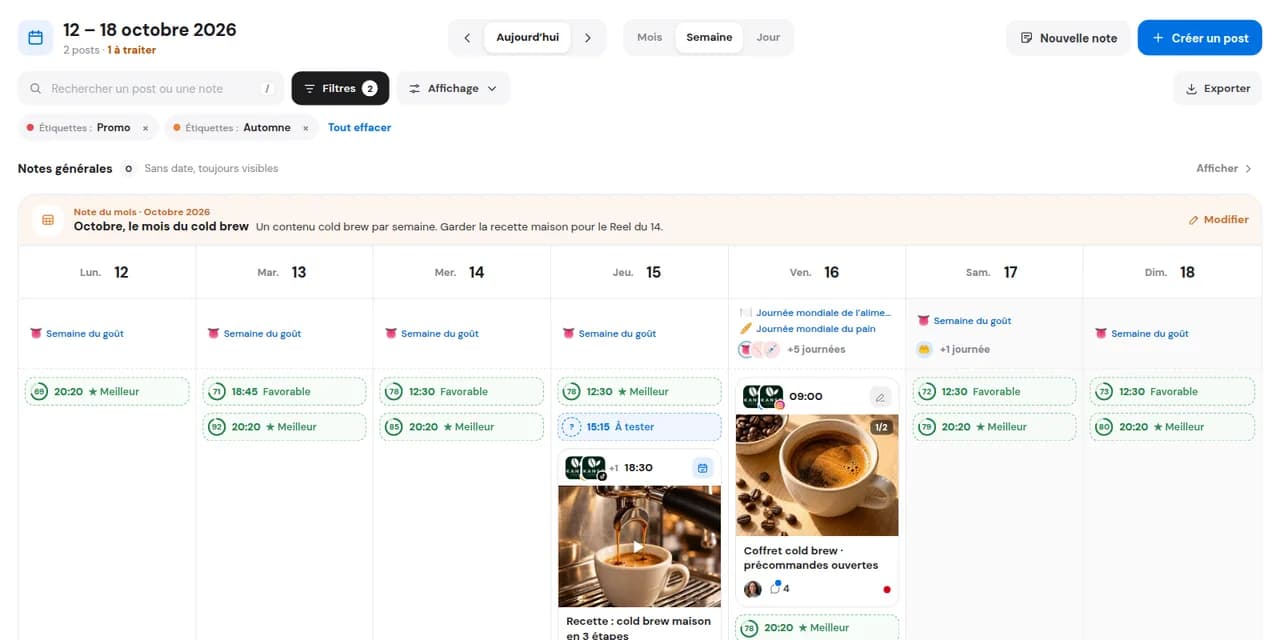
Filter any view by label, then compare pillar results in Analytics.
Compare pillars in AnalyticsOne colour per pillar: spot forgotten pillars or overused topics in your calendar.
With the option enabled, MagicDaily analyses and labels each post on publication. No need to remember; correct it in a click if needed.
Analytics shows which topics really engage, so you give them more space.
See results in AnalyticsManual classification is easily forgotten when schedules fill up. Enable automatic labels in MagicDaily: it analyses published posts and applies labels you already created. Find them on posts, in every view and in Analytics.
MagicDaily only chooses from your DailySpace labels. Your classification remains yours.
Set a maximum of 1, 2, 3 or 5 labels per post to keep classification clear.
Remove a MagicDaily label or add your own. Disable the option whenever you want.
Content pillars are the main topics your brand addresses. They frame your social media editorial approach: each post serves one, and together they tell who you are.
What they want to learn, see, buy or share. A pillar interesting only to you will not last.
Enough for variety, few enough to remain recognisable.
Educate, reassure, sell or unite: each pillar has a role and its own metrics.
After a month, compare: which pillar engages, attracts followers or fails to connect? Adjust the balance accordingly.
| Pillar | Goal | Example post |
|---|---|---|
| Coffee tips | Educate | 5 mistakes that ruin your espresso |
| Behind the scenes | Humanise the brand | 4 am: roasting begins |
| Products | Sell | Autumn cold brew is here |
| Community | Spark reactions | Black or with a splash of milk? |
Defining pillars is the beginning. Keeping to them post after post is what matters: in Dailyfy, each pillar becomes a post label.
Tips, products, behind the scenes, employer brand: filter by colour and check your schedule stays balanced week after week.
Bulk-label from List viewGroup campaign posts across networks and find their results together in Analytics.
Label sponsor or client posts to find everything published for them and its results with one filter.
Tips, products, behind the scenes, employer brand: filter by colour and check your schedule stays balanced week after week.
Bulk-label from List viewGroup campaign posts across networks and find their results together in Analytics.
Label sponsor or client posts to find everything published for them and its results with one filter.
To classify posts by pillar, campaign or topic, find them easily and compare results.
One of the main topics your brand posts about: tips, behind the scenes, products, community… Most brands have 3 to 5.
Yes. Enable automatic labels in MagicDaily settings: published posts are analysed and given your existing labels up to your chosen maximum. Add or remove labels anytime.
Yes. Create labels for each DailySpace with individual colours. They belong to that DailySpace.
No. They are only for organisation and analysis in Dailyfy.
Yes, for example a pillar and a campaign.
In Analytics: compare each pillar, campaign or topic’s performance.
Yes, in all views: Calendar, List, Feed and Instagram Grid.
Yes. Select posts in List view and apply the label together.
Yes. Find them in your views and add a label whenever you want.
No. Only your team sees them, not private-link or approval recipients.
On your post text. It compares it with your DailySpace labels and chooses the best matches.
Choose the maximum in MagicDaily settings: 1, 2, 3 or 5 labels per post.
You create labels to organise schedules and filter views. Themes are your brand’s major topics: MagicDaily classifies published posts into them to compare topic performance in Analytics.
No. They are part of paid plans. Try them free for 14 days without a payment card.
Create your first pillars and classify the week’s posts in minutes.
Start for free14 days free, no credit card required