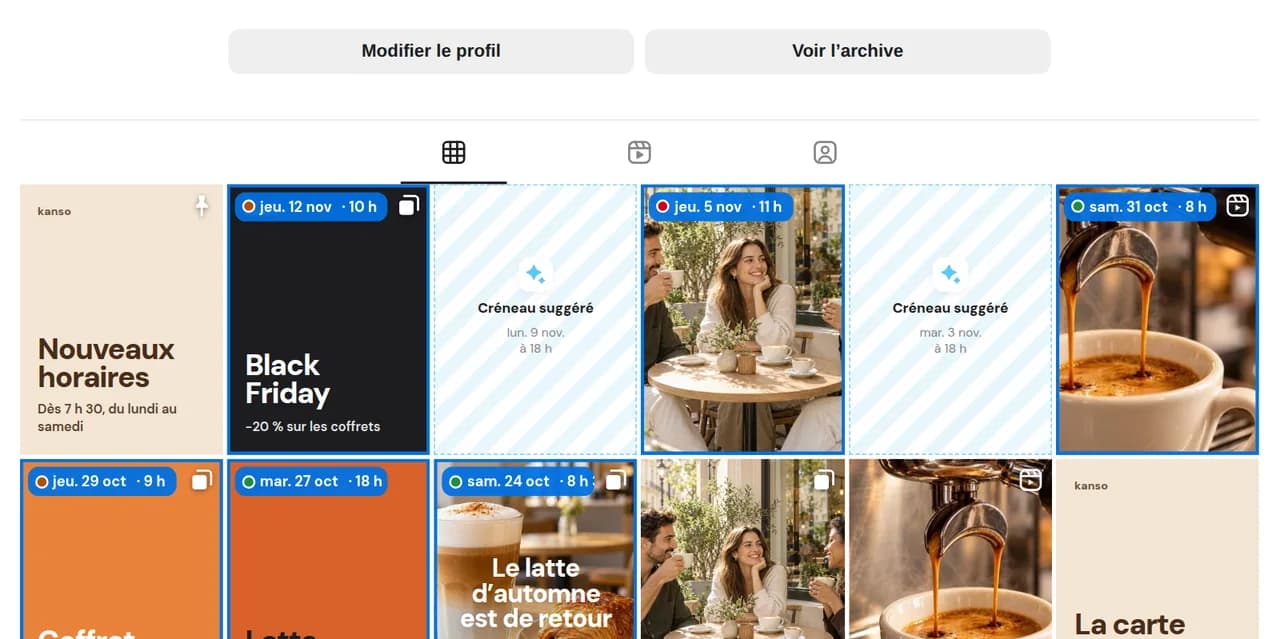
Open your account’s grid
Choose your professional Instagram profile, creator or business: your recent posts appear automatically.

Scheduled posts appear above your current feed. See your grid seven days ahead, rearrange it by drag and drop and publish a profile that feels like you.
14 days free, no credit card required
The grid imports your published posts and places scheduled posts at the top in publishing order. Formats, colours, crops: see the whole picture before your audience does.
To review and approve each post, switch to Feed view.
Choose your professional Instagram profile, creator or business: your recent posts appear automatically.
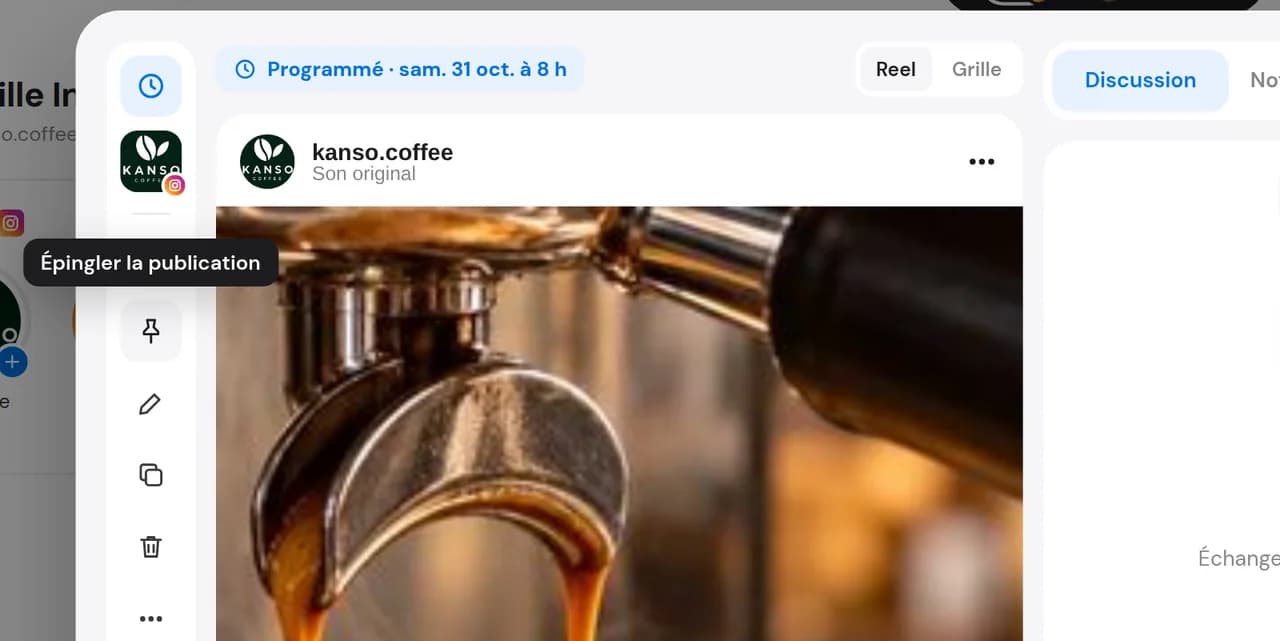
They take their place at the top of the grid, in calendar order.
Drag a scheduled post to change its position: its publishing date adjusts, but the time stays the same. You can also replace an image that disrupts the overall look.
Each new post appears alongside those already published on your profile.
Alternate photos, Reels and carousels. Dailyfy flags when two similar images appear in a row.
Show your team or client how a campaign will look on the profile before it goes live.
Three images that work together? Check that they land on the same grid row.
Colours, crops, formats: check that upcoming posts maintain your profile’s style.
Even with several creators, the grid stays consistent: everyone sees the overall picture before scheduling.
Three images that work together? Check that they land on the same grid row.
Colours, crops, formats: check that upcoming posts maintain your profile’s style.
Even with several creators, the grid stays consistent: everyone sees the overall picture before scheduling.
Open Grid view for your professional Instagram profile (creator or business) in Dailyfy. Published posts are imported and scheduled posts appear above them in publishing order. The grid is not available for personal accounts.
Yes, using your real profile: the simulation starts with your existing posts, not an empty grid. You can even see how your grid will look in 3 or 7 days.
Drag scheduled posts to change their grid order. Moving them changes the publishing date while keeping the time. If an image disrupts the overall look, replace it before publication.
Alternate formats (photo, Reel, carousel), keep a consistent palette and crops, and space out similar images. Dailyfy flags two similar images appearing consecutively before your feed is published.
Yes. The whole team sees the same grid, and a post can go through approval before joining the feed.
The post preview checks how one post looks. The grid checks its place within your whole Instagram feed.
Connect your Instagram account and see your grid with upcoming posts.
Start for free14 days free, no credit card required