Find the location
Type the shop, venue or city name directly in the editor.

Search for your shop, restaurant or event venue in the Dailyfy editor. It is added to your post on Instagram, Facebook and Threads.
14 days free, no credit card required
Without Dailyfy, you search for the same location in every app. Universal location lets you choose it once while preparing your post. Your audience sees the post’s geographical context, according to the options supported by each network and format.
Type the shop, venue or city name directly in the editor.
Check the suggested location and address to avoid confusing two places with the same name.
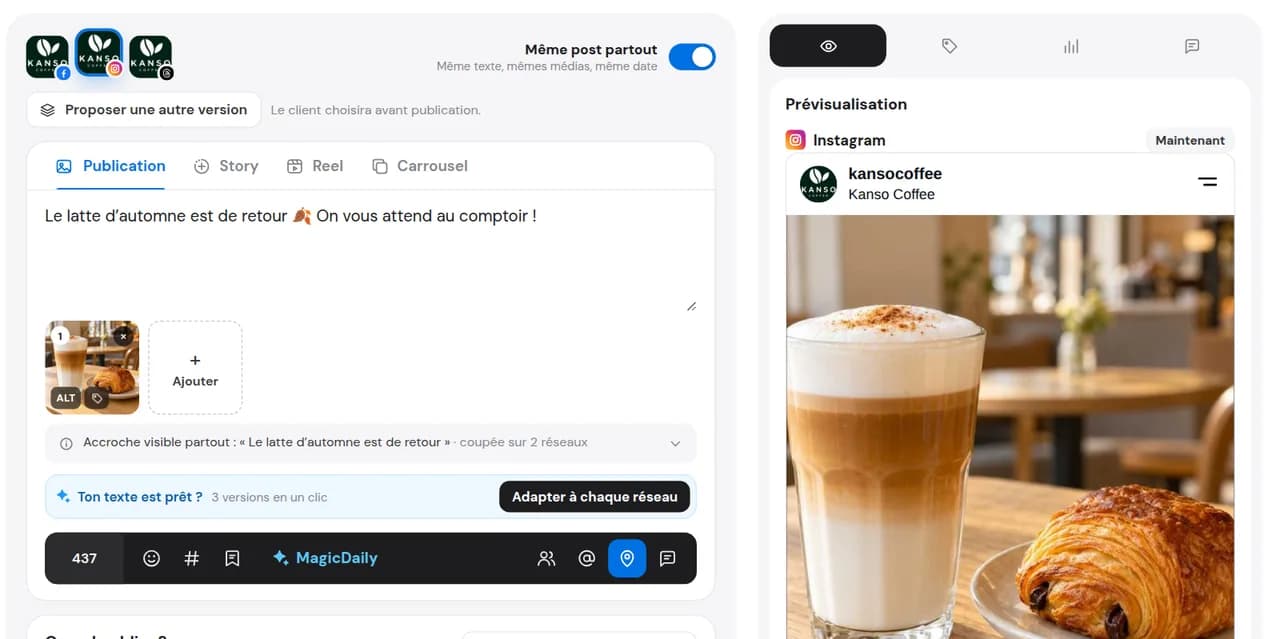
The location is added to compatible Instagram, Facebook and Threads versions alongside the rest of your post.
All three Meta networks let you add a location to supported posts, each from its own screen.
Use “Add location” in publishing options, then search and select the place. Labels and placement may vary by format and app version.
When creating a post, find the location option and choose the correct match. Check what the selected format supports.
Use the available location option in the Threads editor. Search and verify the place before publishing.
Three networks, three searches for the same place. With Dailyfy, choose it once for your cross-post. The universal mention follows the same approach for the accounts you mention.
Choose the location once in the editor instead of finding it in every app.
A shop, venue or event: a location helps your audience understand where the content takes place, without guaranteeing extra visibility.
Managing several addresses? Choose a different location for each profile or post version: every shop or restaurant keeps its own location.
On Instagram, Facebook and Threads for formats that support locations. Choose it once and it is added to compatible versions of your post.
Open the location option in the editor, search for the venue name and select it. Check the match before scheduling your Instagram post.
Dailyfy does not create locations: suggestions come from network directories. Check the name, address and availability on the relevant platform. If missing, follow that network’s options to create or correct it; immediate availability in Dailyfy is not guaranteed.
Yes. In cross-posting, choose a different location for each profile or version. When publishing for several venues, each keeps its own location on supported networks and formats.
No. Add it only when it helps your audience: an address, event or shop.
A location adds local context and may help discovery depending on the network. Whether a post appears on a location page or in results depends on the platform: neither placement nor increased reach is guaranteed.
Prepare your post, add the location once and publish on Instagram, Facebook and Threads.
Start for free14 days free, no credit card required