Create the group
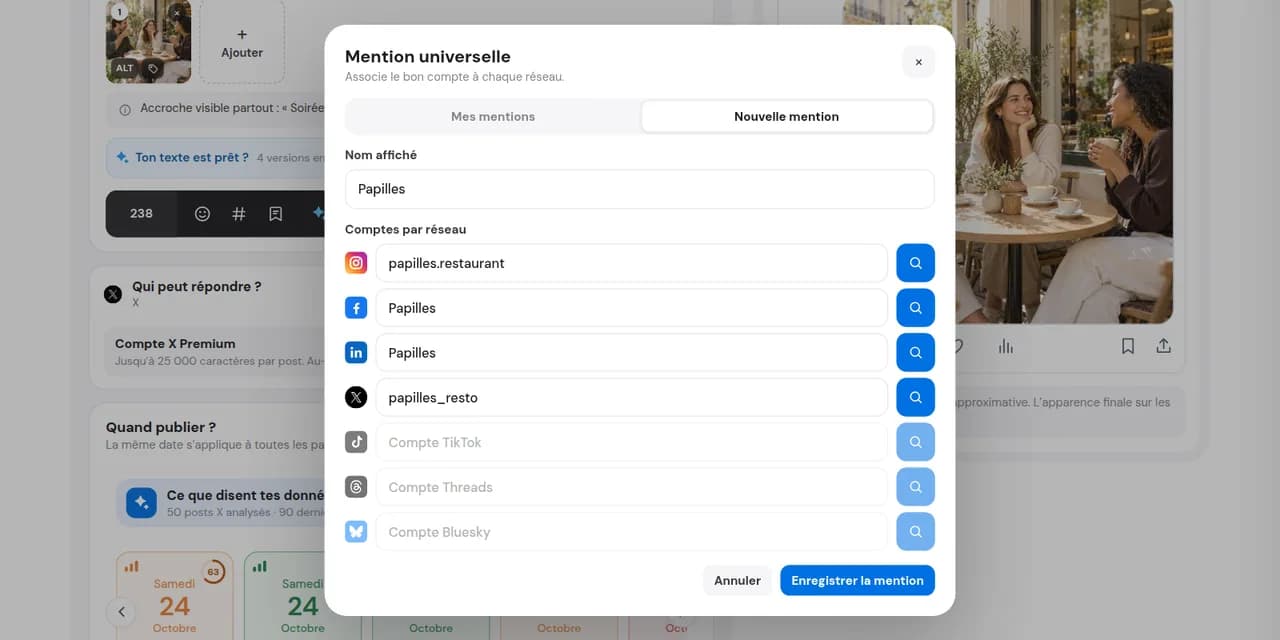
Search for the person or brand once. Global search suggests their profiles on compatible networks: check the matches before saving.

Instagram, Facebook, LinkedIn, X, Threads and Bluesky do not always use the same handle. Group them once and Dailyfy adds the correct mention to each version of your post.
14 days free, no credit card required
You thank a partner in a post published everywhere. Without Dailyfy, you need to find their Instagram, Facebook, LinkedIn, X, Threads and Bluesky accounts and add each one. With universal mentions, a global search suggests their profiles: check and save them together. Insert the group once and each compatible version gets the right mention. Notifications depend on each network’s rules and settings.
Explore cross-posting with the right mention on each network.
Search for the person or brand once. Global search suggests their profiles on compatible networks: check the matches before saving.
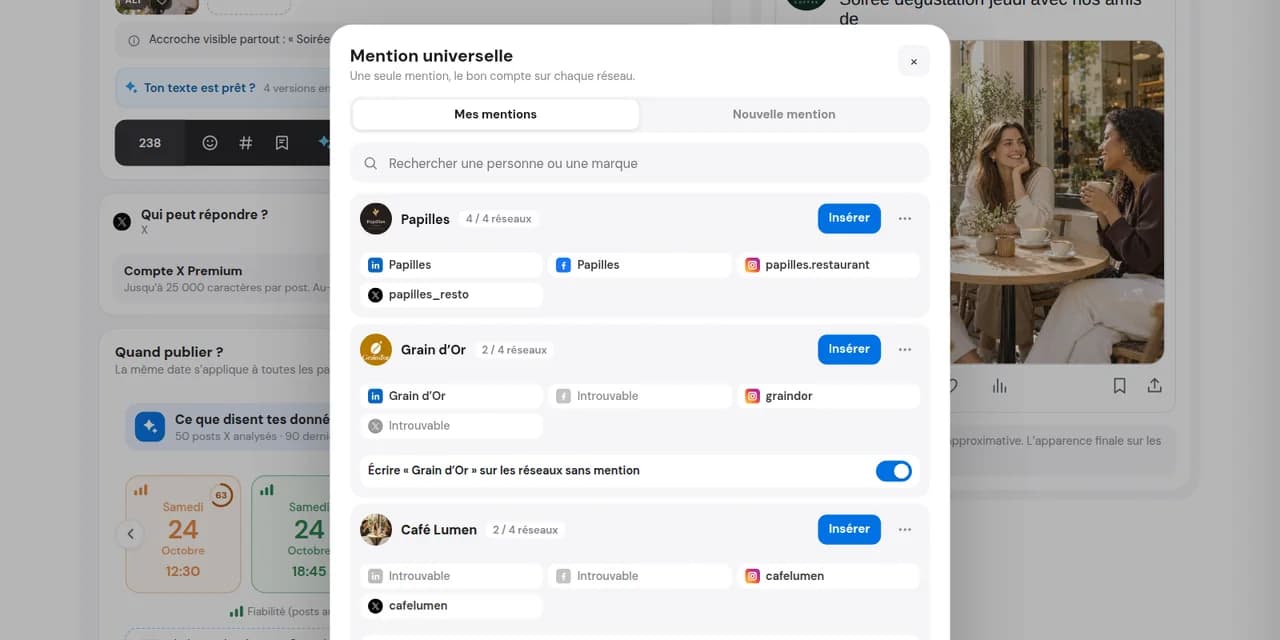
Give it a clear name: it stays in your DailySpace, ready for authorised team members to reuse.
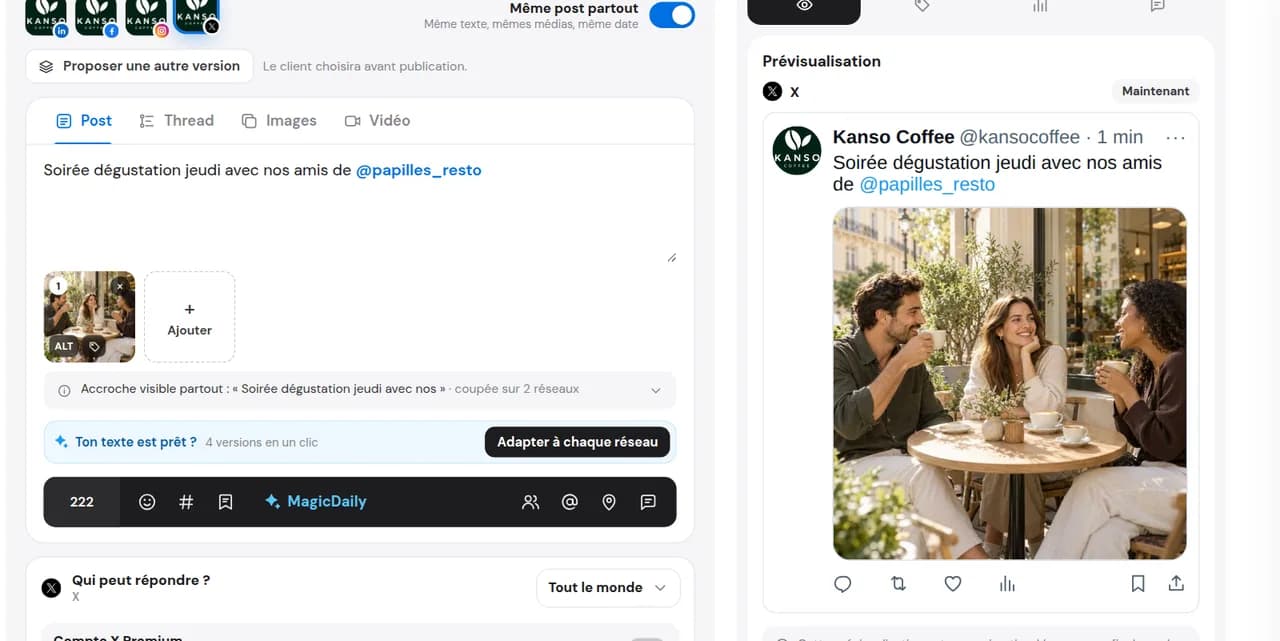
Dailyfy writes the correct mention on each compatible network. No account on one network? Choose to show nothing or keep the name as plain text.
Find your saved captions tooEach network has its own way of mentioning a person or page. Their display name and handle may also change between platforms.
In the caption, type @ followed by the username. For photos, the native app also offers image tagging, depending on the format. A text mention and tagging the media are separate actions.
Type @, start writing the page or person’s name and select the right suggestion. Check the profile: several pages may share a name and some mentions are restricted by account settings.
Type @ and the person’s or company’s name, then choose the right suggestion. A company page and its leader’s profile are different mentions. Options in Dailyfy also depend on LinkedIn API rules.
Type @ followed by the exact username, which may differ from Instagram. Check the account and handle before publishing.
Type @ and search for the account to mention. Check the suggestion before inserting it, according to the account’s supported options.
Use @ and the account’s full handle, which may include a domain such as .bsky.social. Check the suggested match before publishing.
Six networks, several handles for one person. Universal mentions save them together for your next posts.
A global search suggests compatible profiles for the person or brand. Check them and reuse the group in future posts.
Your regular partners, clients and media contacts stay saved in the DailySpace. Authorised members find the same accounts and can check them when they change.
Nothing on that network, or the name as plain text: your post stays readable everywhere.
It is a group bringing together one person’s or brand’s profiles across networks. Inserted in a post, it becomes the correct mention on each compatible network.
Facebook, Instagram, LinkedIn, X, Threads and Bluesky. Mention options remain subject to each network’s rules, account type and post format.
You choose: show nothing on that network or write the name as non-clickable plain text.
Yes. Groups belong to the DailySpace where you create them: authorised members can find and insert them into posts. They are not automatically shared with other DailySpaces.
Yes. Correct an associated profile, add one or delete a group you no longer need.
The two networks often use different handles for the same person or brand. With Dailyfy, create a group linking both and insert it once into your cross-post.
Create your first mention group and publish everywhere in one go.
Start for free14 days free, no credit card required