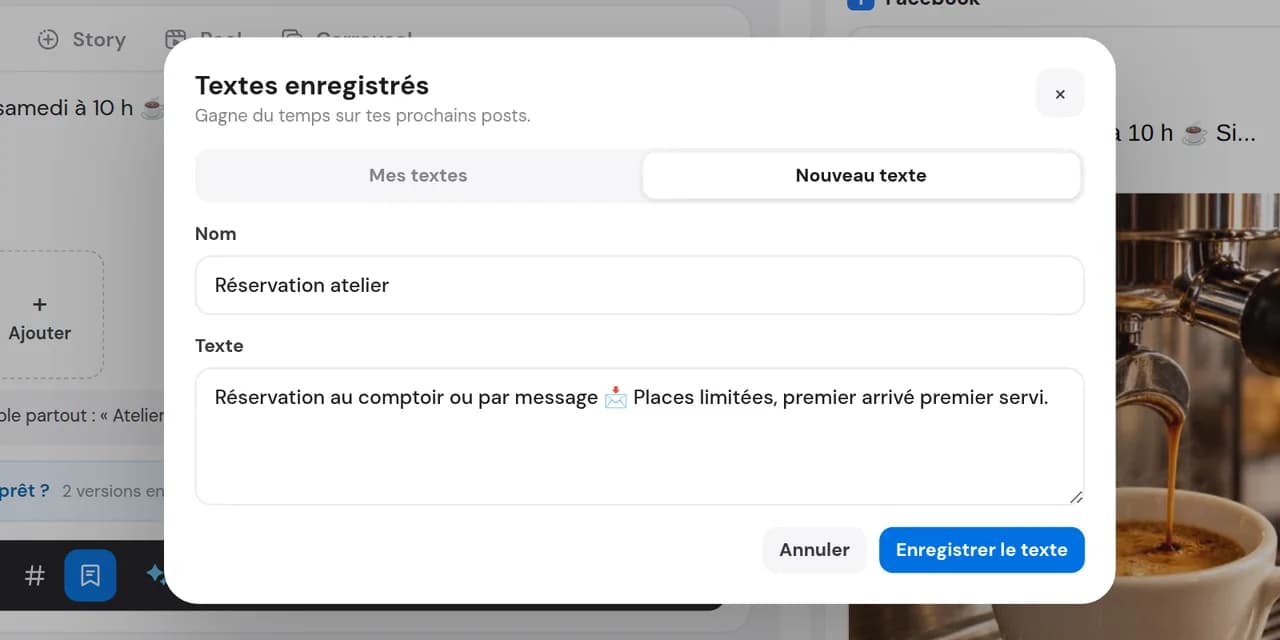
Save your text
A full caption or a short block: give it a clear name so it is easy to find.

Captions, signatures, opening hours, calls to action and mandatory notices: save recurring text in Caption Manager and insert it into posts in one click. Your whole team uses the same wording.
14 days free, no credit card required
The brand signature, practical information, usual call to action and legal notice you must not forget: these recur in almost every post. Without a tool, you copy them from notes or old posts, risking typos or outdated hours. Caption Manager keeps them together and up to date for the whole team.
A full caption or a short block: give it a clear name so it is easy to find.
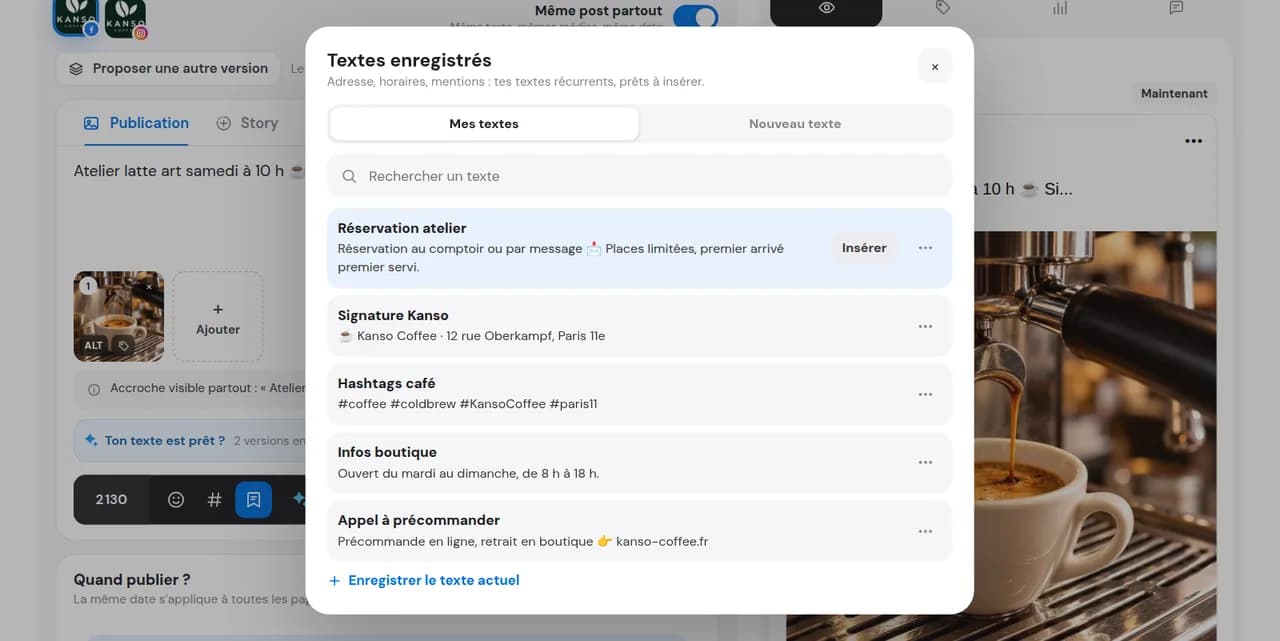
Open Caption Manager from the editor, search saved text and choose the right one.
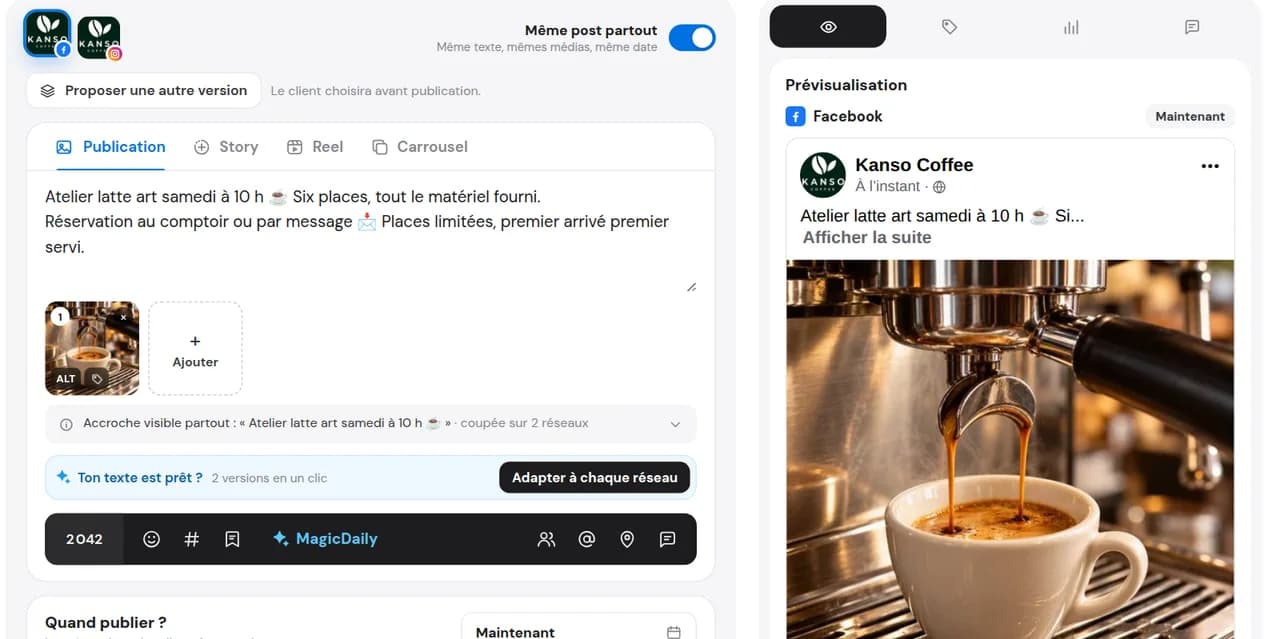
The text goes into your caption or first comment. Change the date, price or location, then schedule.
Prepare your first commentSignature, practical details, legal notice: search, click and it is in the post.
The whole DailySpace uses the same approved wording. No more five versions of one signature.
Inserted text stays editable: adapt it to the post without changing the saved template.
An Instagram caption is the text below a photo or Reel. Instagram shows only the first lines before “see more”, so the opening matters. Good captions often follow the same structure.
A question, number or promise: the first sentence should make people want to keep reading.
Context, advice or the story behind the photo. Short sentences and line breaks.
A question to invite replies, a link in bio, your signature. This part recurs between posts and is the part to save.
The opening changes with each post. The ending is almost always the same: insert it in one click with Caption Manager.
For dedicated lists by topic or network, use hashtag groups. This is separate from Caption Manager, which stores recurring text.
Need a fresh opening? MagicDaily helps you write it.
The club reuses the same match caption every weekend: only the opponent and time change.
Address, opening hours, phone and booking link: up to date, without copying errors.
Legal notice, photo credit, “sponsored post”: approve the required wording once and reuse it everywhere.
The club reuses the same match caption every weekend: only the opponent and time change.
Address, opening hours, phone and booking link: up to date, without copying errors.
Legal notice, photo credit, “sponsored post”: approve the required wording once and reuse it everywhere.
It is Dailyfy’s saved text library. Keep captions, signatures, practical information and recurring blocks to insert into posts in one click.
Yes: a full caption, signature, call to action, practical information block or a single sentence.
Yes. It is added to your caption and you can adapt it freely without changing the saved template.
Yes. Text is saved in the DailySpace and accessible to all authorised members.
Yes, in the web editor on any network: Instagram, Facebook, LinkedIn, TikTok, X, Threads, Bluesky, Pinterest and Google. Caption Manager is not available in the mobile app.
Yes, as placeholders. Write {date} or {phone}, for example, in saved text, then replace them manually after inserting it.
Yes, on networks and formats supporting the first comment. Useful for recurring links or practical information.
No. Replies to comments and messages have their own library, saved replies, in the inbox.
Each DailySpace has its own library. To use your text in another DailySpace, our team can copy it on request.
Search in Caption Manager: type a word from its name or text to find the right opening among your saved captions.
No, it is included in paid plans. Try it free during the 14-day trial without a credit card.
Save your first caption and start saving time with your next post.
Start for free14 days free, no credit card required