Publish on Google just as on Instagram
New menu, daily special, tasting night: schedule Google updates, offers and events from the same calendar as your social posts.

Schedule posts across all your locations, keep your Google profile active and answer customers from one inbox. Your team saves time and your brand speaks with one voice everywhere.
14 days free, no credit card · Servers and databases in France
Epiphany cake
Network campaign
6 locations scheduled
Google update · Book button
Booking for 8 · answered
Your locations, one shared space









Dailyfy brings your social media, Google profiles, messages and locations into one tool, so every address makes people want to step inside.
You manage everything, often on your own.
Prepare your week in an hour, answer messages on your phone and let MagicDaily help you write between services.
You want one consistent brand, everywhere.
Head office prepares campaigns, each location adapts them, and nothing goes live without approval.
You follow the rhythm of your neighbourhood.
Today's special, seasonal launches, holiday orders: publish at the right time and keep your Google profile up to date.
You manage several restaurant clients.
One DailySpace per client, with their pages, Google profiles and approvals, kept separate.
Your Google profile is often a diner's first impression of your restaurant. Regular updates show an active business and encourage reservations.
New menu, daily special, tasting night: schedule Google updates, offers and events from the same calendar as your social posts.
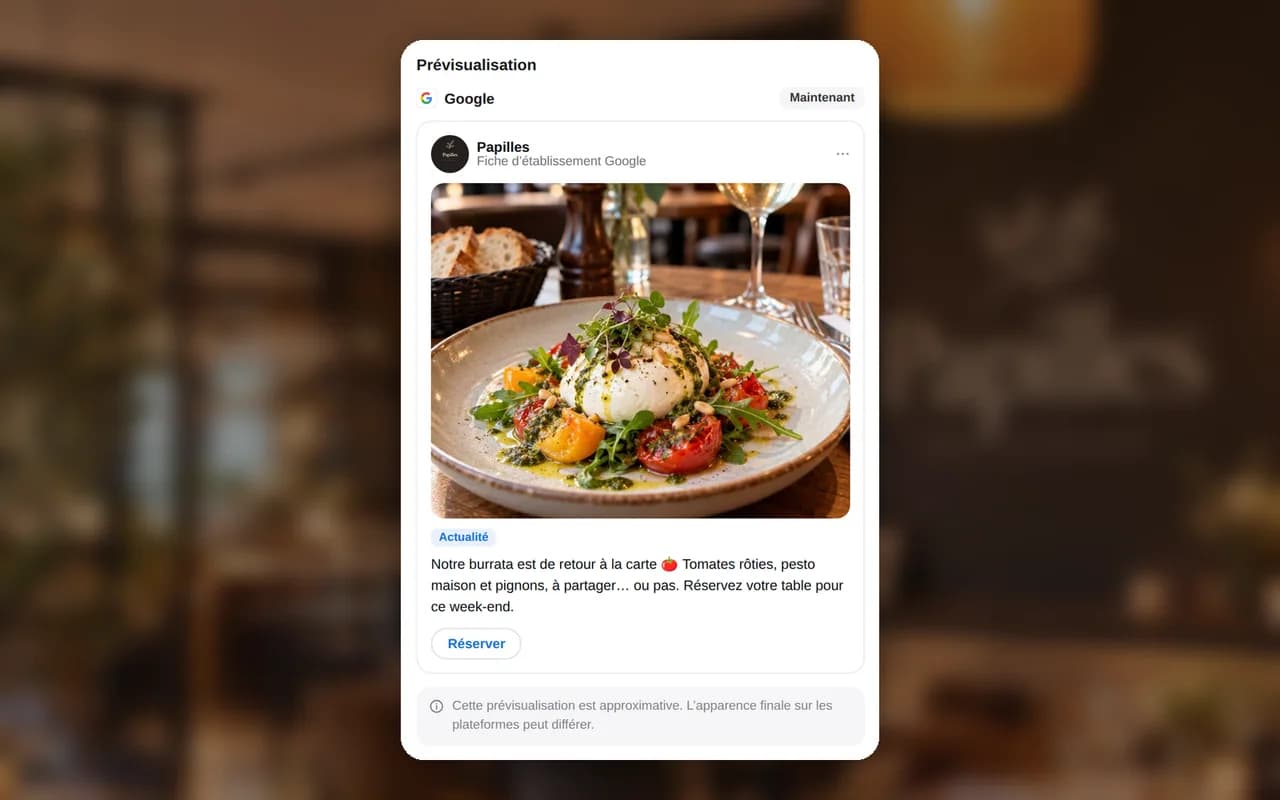
Add a Book, Order online or Learn more button to each post, linked to your booking tool.
Publish the same update on every location's profile, or adapt it for each one.
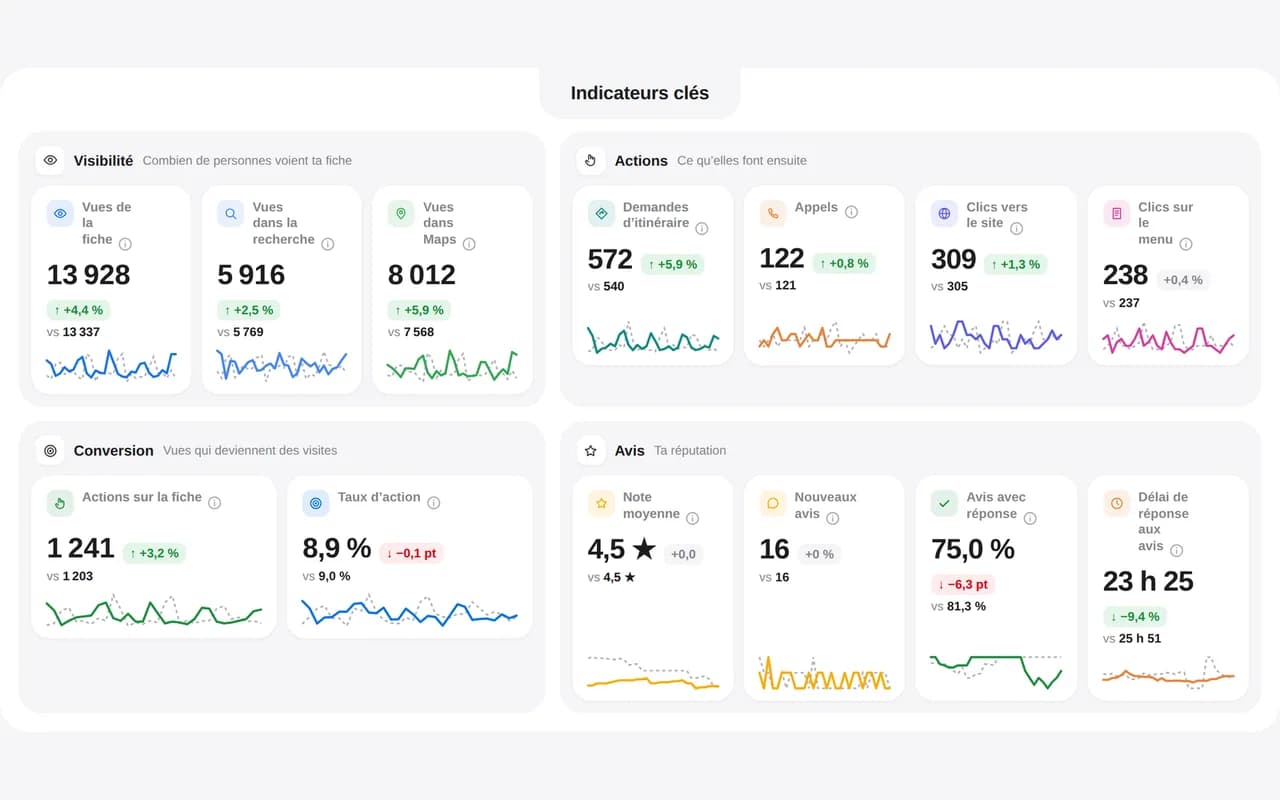
Coming soon: Google profile analytics will bring together searches, direction requests, calls and website clicks. The visual shows illustrative data, not statistics already available.
Head office wants a consistent image; each location wants to speak to its neighbourhood. Dailyfy supports both.
Epiphany cake, Candlemas, Valentine's Day, Easter, Mother's Day, summer terraces and year-end holidays: add the occasions that matter to your menu and prepare content weeks ahead.
Provide a topic and goal: MagicDaily suggests hooks and a caption for each network. For content filmed with a local producer, prepare a collaboration post too.
Dailyfy suggests your best posting times based on each location profile's results.
Your Dailyfy.bio page gathers the links that matter: view the menu, book a table, order online or buy a gift card. Add your restaurant's location to supported Instagram, Facebook and Threads posts too.
“Are you open Sunday?”, “Is there room for eight?”, “Is it gluten-free?”: these questions arrive every day, across every network.
Instagram, Facebook, TikTok and Google arrive in one inbox, with filters by location and message type.
Save team-approved replies and insert them in one click. For allergens, always use the official information on your menu.
Reviews from all your profiles arrive in one place. Assign a review to the relevant manager, add an internal note and reply with MagicDaily's help.
An English or Spanish message is translated for you, and your reply written in French is sent in the customer's language.
Find stories mentioning your restaurant, thank customers privately and spot photos to feature.
For your kitchen Reels and TikToks, MagicDaily suggests hooks, a scene-by-scene outline and a suitable caption.
Topics, formats and posting times gaining momentum: MagicDaily flags emerging trends so you can test them first.
Check the balance between dishes, behind-the-scenes content and team posts before publishing.
Track restaurants and chains in your neighbourhood or market and compare engagement, growth, posting frequency, formats and topics.
Menus, promotions, openings: see your competitors' active Meta ads and how long they've been running.
Reach, engagement, followers and top-performing content, with MagicDaily's summary.
Choose your metrics and send a monthly report as a PDF or link, without spreadsheets. Each report belongs to one DailySpace: locations in separate spaces also keep separate reports.
See how many people click Book or Order from your bio.
Find useful information to organise your content, team and social networks with Dailyfy.
Post regularly on Instagram, Facebook and your Google profile. Alternate dishes, behind-the-scenes content, team stories and seasonal occasions, and answer messages quickly. Dailyfy helps you prepare ahead and publish everything from one calendar.
Yes. Schedule updates, offers and events on your Google profiles, with an action button such as Book or Order online, from the same calendar as your social posts.
Connect every location's pages and profiles, publish a shared campaign to all pages in one click, then adapt each page's text or timing if needed. Permissions and mandatory approval keep head office in control.
List the occasions relevant to your menu (Epiphany, Candlemas, Valentine's Day, Mother's Day, year-end holidays), add them to your editorial calendar and prepare each post two to three weeks ahead. Dailyfy connects each post to its occasion and production status.
Yes. You choose who can create, approve and publish. Managers propose local content; head office approves it before publication.
Yes, using saved replies approved by your team. Always base allergen answers on your menu's official information.
No. Dailyfy manages your social media, Google profiles and messages. Add links to your reservation or ordering tool in Google posts and your Dailyfy.bio page.
Prioritise your Google profile, Instagram, Facebook and TikTok, then Pinterest for recipes and YouTube for longer videos. Available features depend on each network's API capabilities.
We'll help you set up Dailyfy for your restaurant, group or franchise network.
Contact usSocial media, Google profiles, messages and teams: try Dailyfy for your next key occasion.
Start for free14 days free, no credit card required